Catch what blocks your VRChat upload before you press Build
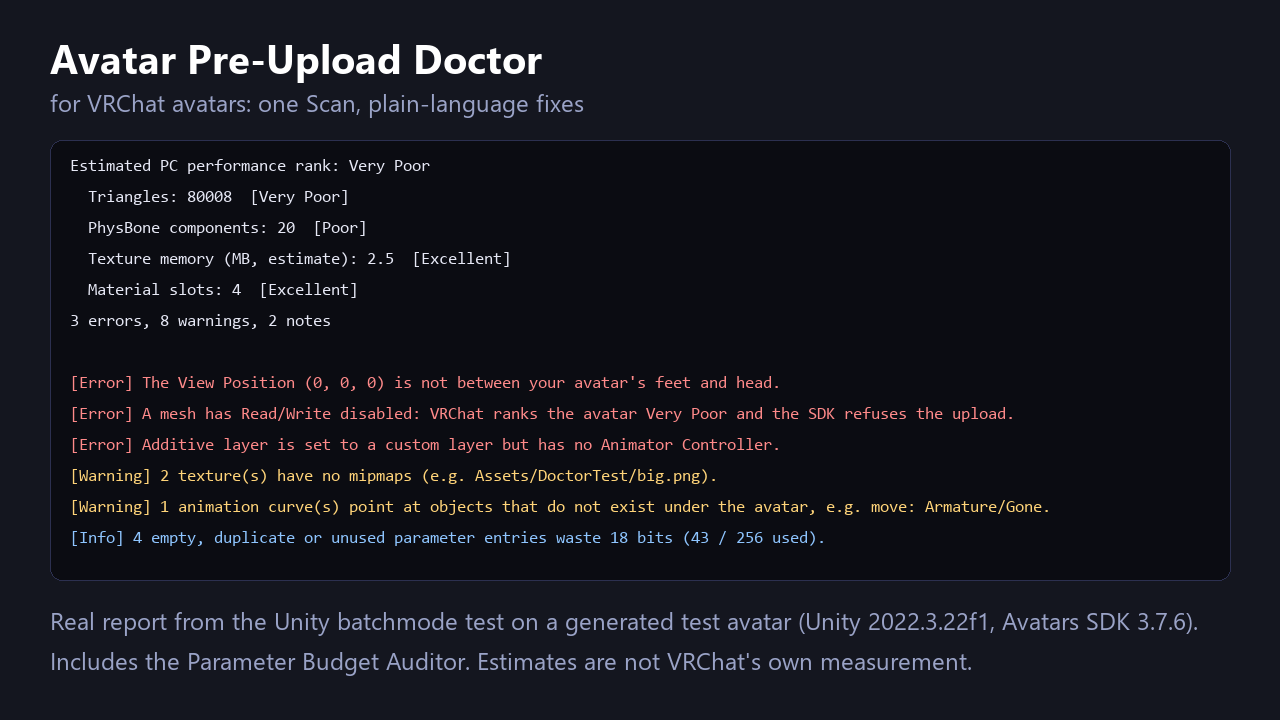
Select your avatar and press Scan. The Doctor lists what commonly blocks or slows an upload, tells you the fix in plain words, and applies the safe fixes in one click you can undo.
- NOMINAL Runs in the Unity editor
- READY Removal you can undo
What it does
Performance rank (PC)
Triangles, texture memory, meshes, material slots, PhysBones, contacts, bones, animators, lights and particle systems checked against VRChat's published limits. A Read/Write-disabled mesh is flagged.
Descriptor and menu
View Position outside the avatar, menus or parameters missing, menu controls using a parameter you never added, menus over 8 controls, lip sync with no face mesh.
Animator references
Layers with no controller, transitions on undeclared parameters, curves pointing at objects that are gone, empty blend tree slots.
Safe fixes with Undo
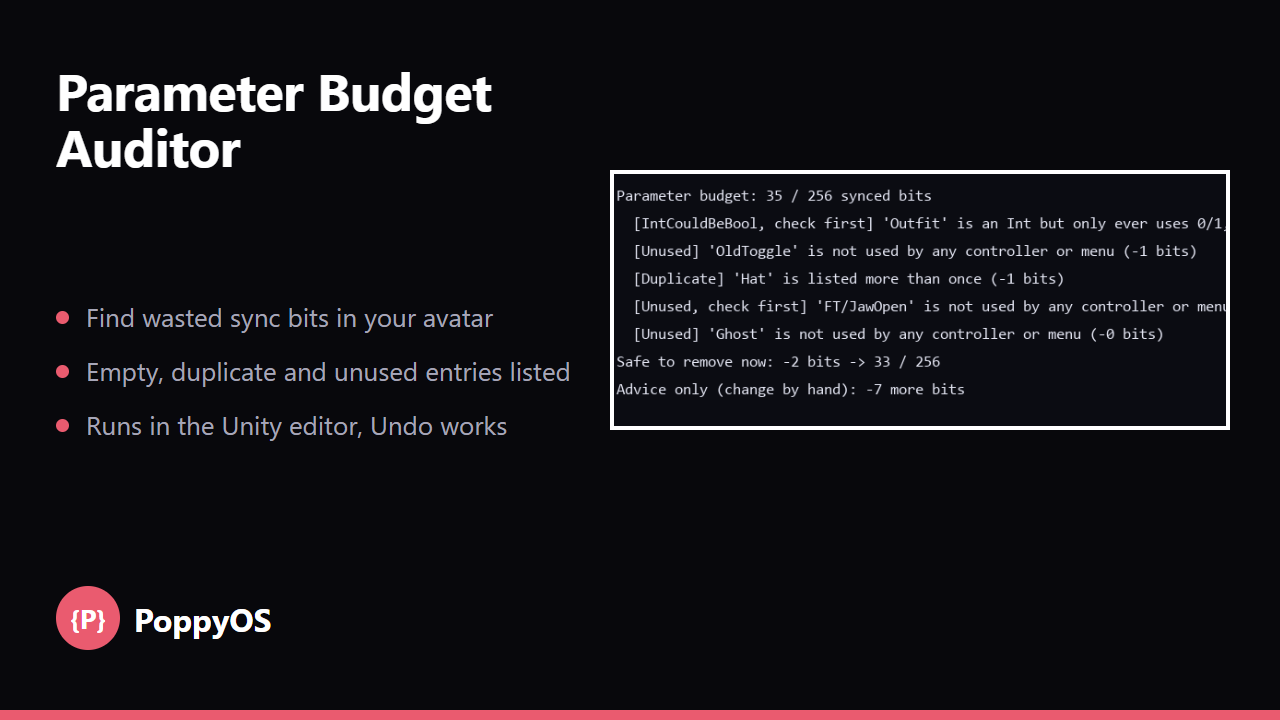
View Position and parameter clean-up undo with Ctrl+Z; mipmap and crunch fixes have a Revert button. Fix all safe skips the lossy crunch fix. Includes the Parameter Budget Auditor.
Who it is for
- VRChat avatar creators who want a clean upload and a better performance rank.
- Anyone uploading an avatar assembled from many prefabs and assets.
Honest limits
- The rank is an estimate, not VRChat's own measurement. PC limits only, no Quest.
- Tested in Unity 2022.3.22f1 with VRChat Avatars SDK 3.7.6 on a test avatar, not yet on a wide range of real avatars or on Modular Avatar / VRCFury avatars.
- It does not check shaders, constraints, bounds, audio or SDK build errors.
- Not affiliated with VRChat Inc. or Unity Technologies.
Details
- Included: The Doctor and the Parameter Budget Auditor Unity packages (UPM layout), a README and the licence.
Checked with 20 unit checks and a Unity batchmode smoke test (18 of 18) on a test avatar with known problems. Questions? Support.