Log your hours and a printable invoice builds itself
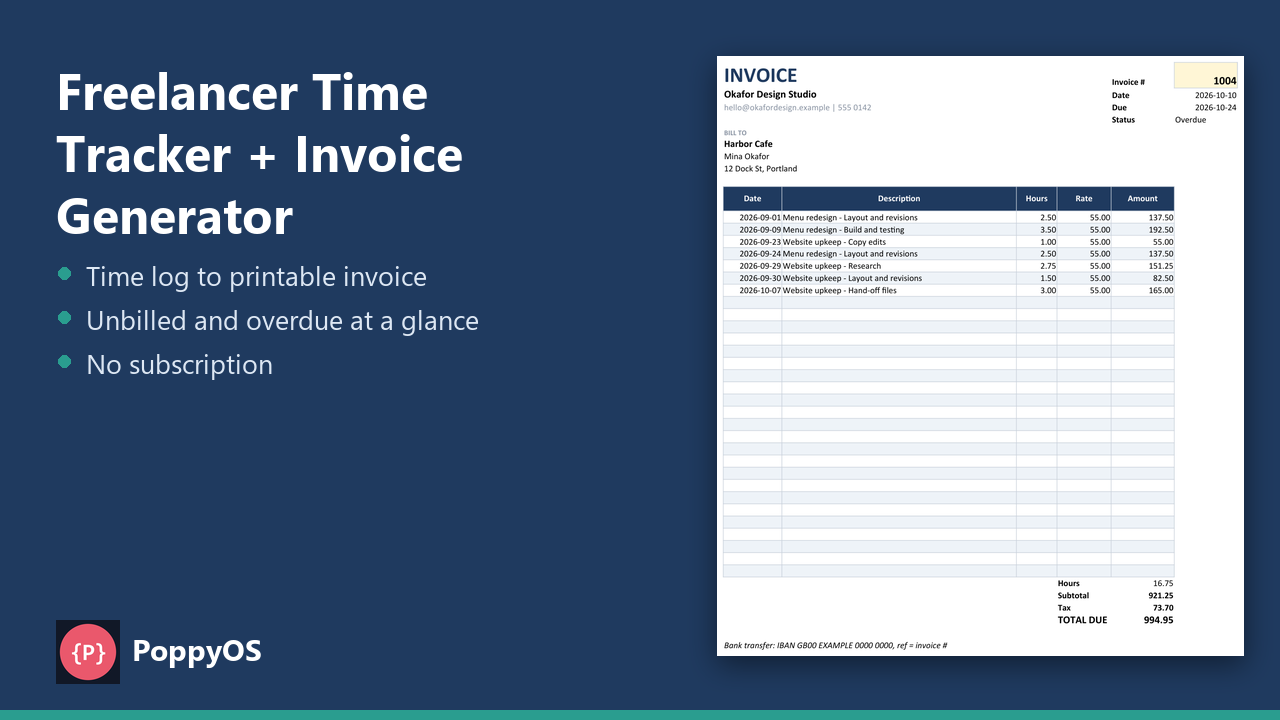
Log each work session by start and end time, or just the hours, and choose the client so the rate fills in. Write an invoice number on the entries you are billing, pick it on the Invoice sheet and a print-ready invoice appears with every time entry as a line.
- NOMINAL Your data stays in your file
- READY Excel .xlsx, no macros
What it does
Time log
1,000 rows with start and end times and break minutes or typed hours, a rate override per entry, a non-billable flag and an Unbilled or Invoiced status.
Clients and invoices
30 clients with hourly rate, payment terms and whether tax applies. A register of up to 60 invoices with subtotal, tax, total, due date, paid date and a Sent, Overdue or Paid status with days overdue.
A printable invoice
One page, 30 line items, your details and payment instructions.
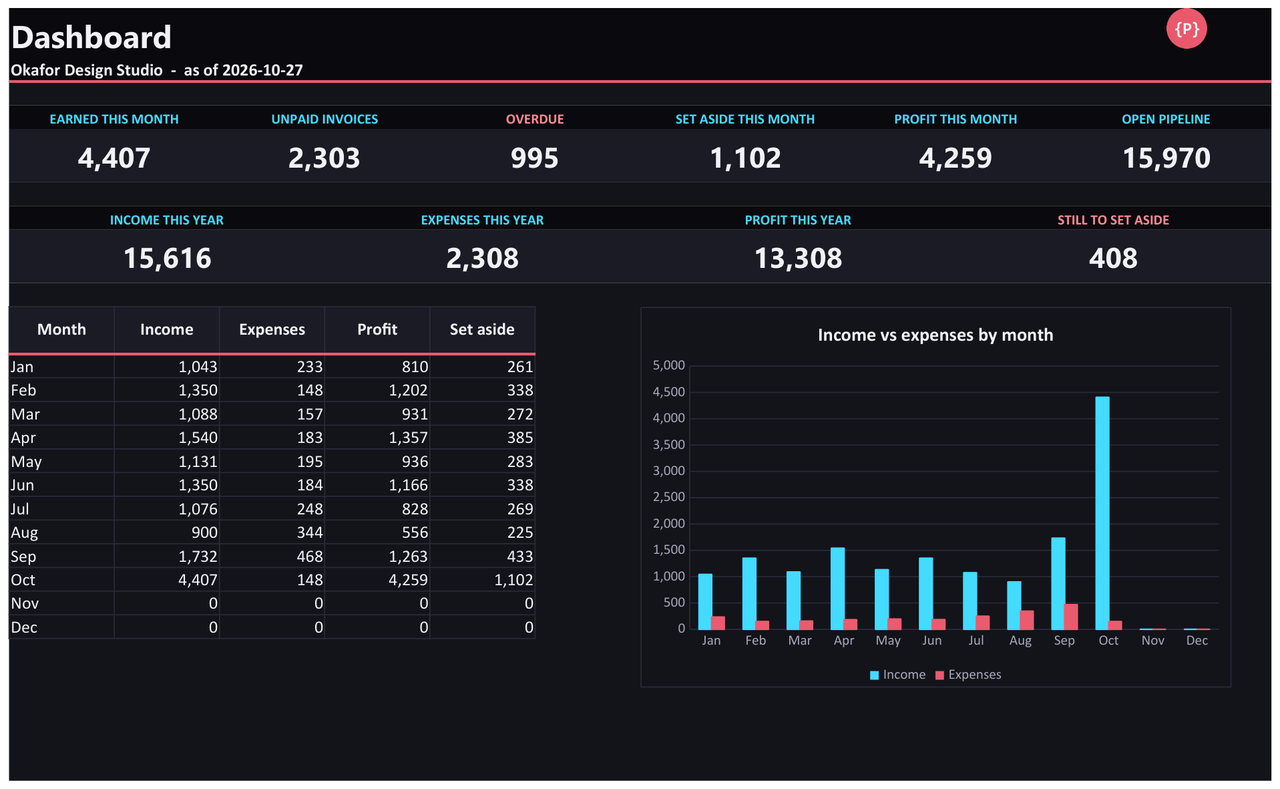
A dashboard
Unbilled work, outstanding, overdue and paid totals, hours per client and invoiced per month.
Who it is for
- Freelancers who bill by the hour and want time, clients and invoices in one file.
- People who want to see unbilled work and overdue invoices at a glance.
- Anyone who would rather own a spreadsheet than pay a subscription.
Honest limits
- One tax rate, applied to clients you mark as taxable. It is a calculator, not tax advice.
- Overdue status uses today's date, or a date you type on Settings to test.
- The printable invoice shows up to 30 lines. Split larger jobs across two invoice numbers.
- The formulas were recalculated in LibreOffice with no error values and checked against a separate Python calculation. It has not been opened in Microsoft Excel or Google Sheets, which can import the .xlsx file; check your own copy after import.
Details
- Included: An example workbook with realistic sample data, a blank copy, a README with set-up steps and the limits.
Tested automatically against independent reference implementations. Questions? Support.