Keep your books in one workbook, with a check for mistakes
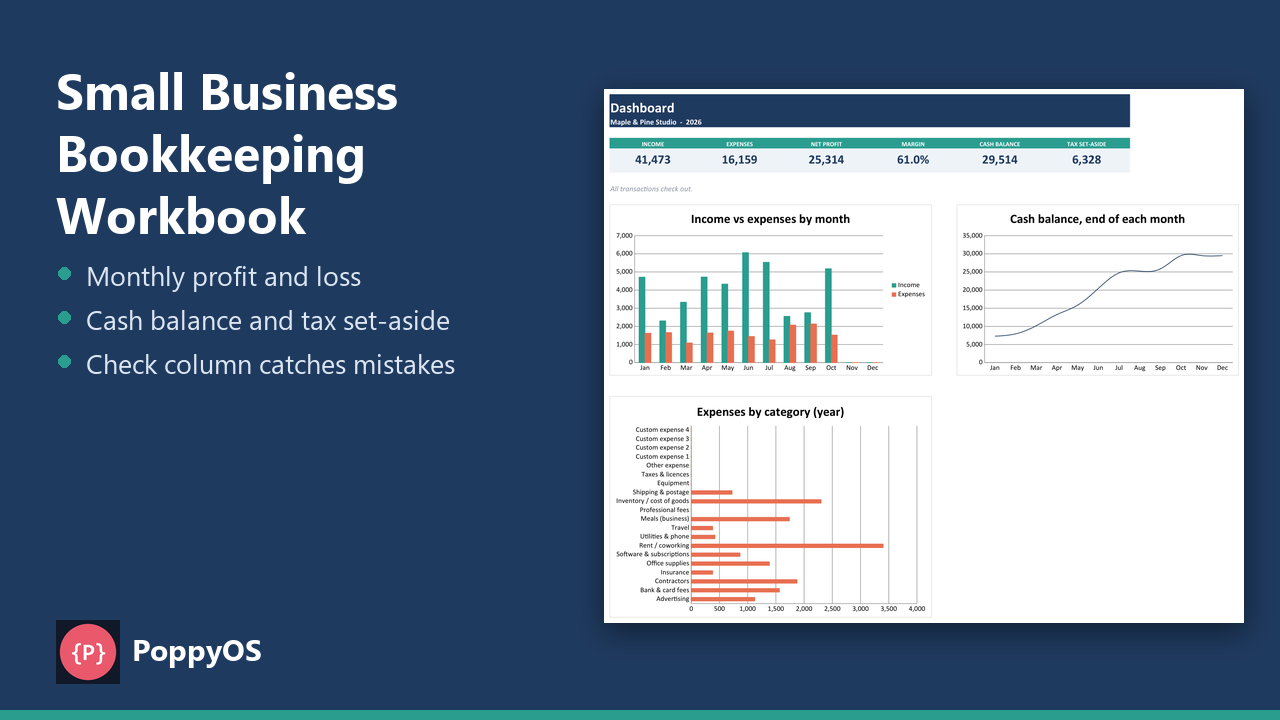
Type each sale and expense on one sheet. The workbook builds the monthly profit and loss, running cash balance, profit margin and a tax set-aside figure for you.
- NOMINAL Your data stays in your file
- READY Excel .xlsx, no macros
What it does
A Check column
Flags rows that are incomplete, from another year, or where the category does not match the type, such as an expense category on an income row. The Dashboard counts them.
Transactions
500 rows with date, type, category, description, payee, method, amount and receipt kept, with drop-down lists and validation on dates and amounts.
Monthly P&L
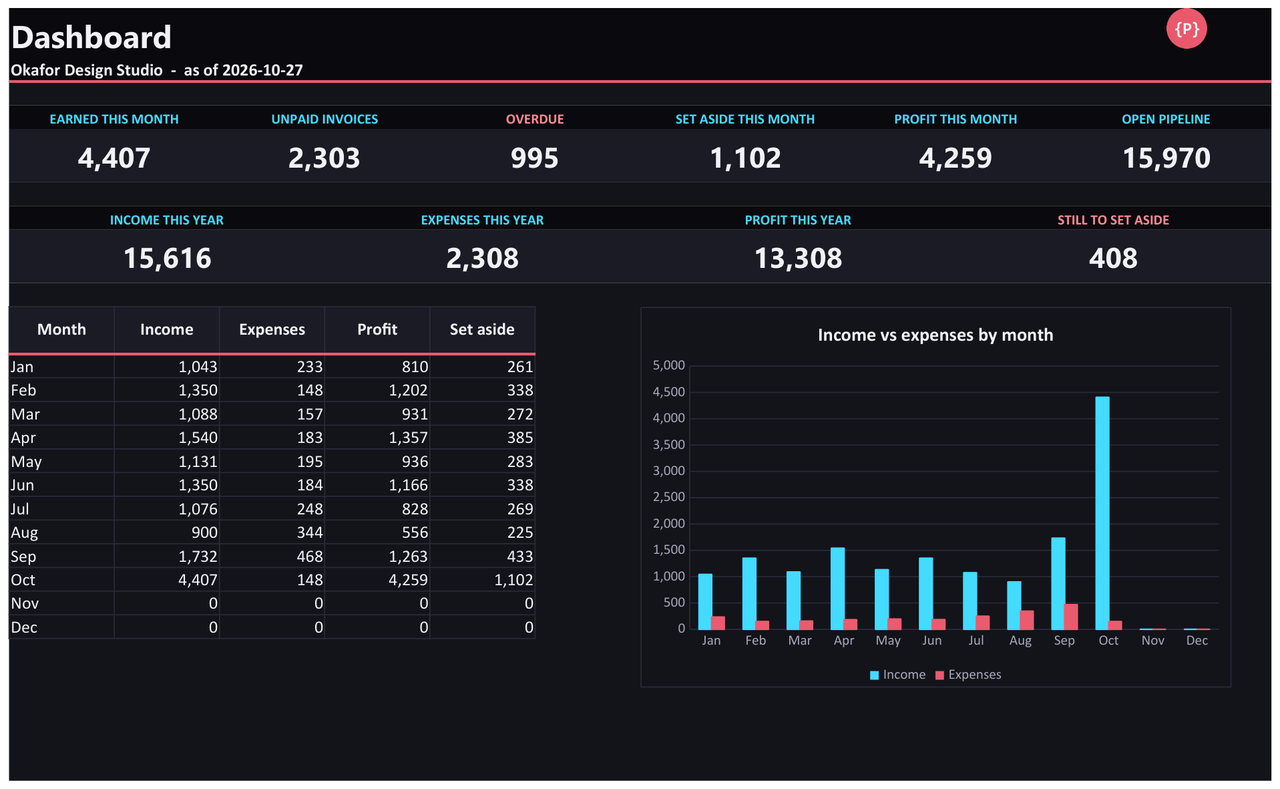
Every category by month, totals, net profit, margin, month-end cash balance and tax to set aside.
Settings and dashboard
Business name, year, opening cash, tax set-aside percentage and your own category lists (8 income, 20 expense). Change the year once and the workbook follows. The Dashboard has six key figures and three charts.
Who it is for
- Small businesses and sole traders who want their books in one place without accounting software.
- Anyone who wants mistakes caught as they type.
- People who would rather own a spreadsheet than pay a subscription.
Honest limits
- It is a record-keeping and planning tool. It is not accounting software, tax advice or a tax return.
- Room for 500 transactions per workbook. Start a fresh copy each year or extend the ranges.
- The formulas were recalculated in LibreOffice with no error values and checked against a separate Python calculation. It has not been opened in Microsoft Excel or Google Sheets, which can import the .xlsx file; check your own copy after import.
Details
- Included: An example workbook with realistic sample data, a blank copy, a README with set-up steps and the limits.
Tested automatically against independent reference implementations. Questions? Support.