 PoppyOS
Compare two CSV files and see what changed, privately, in your browser
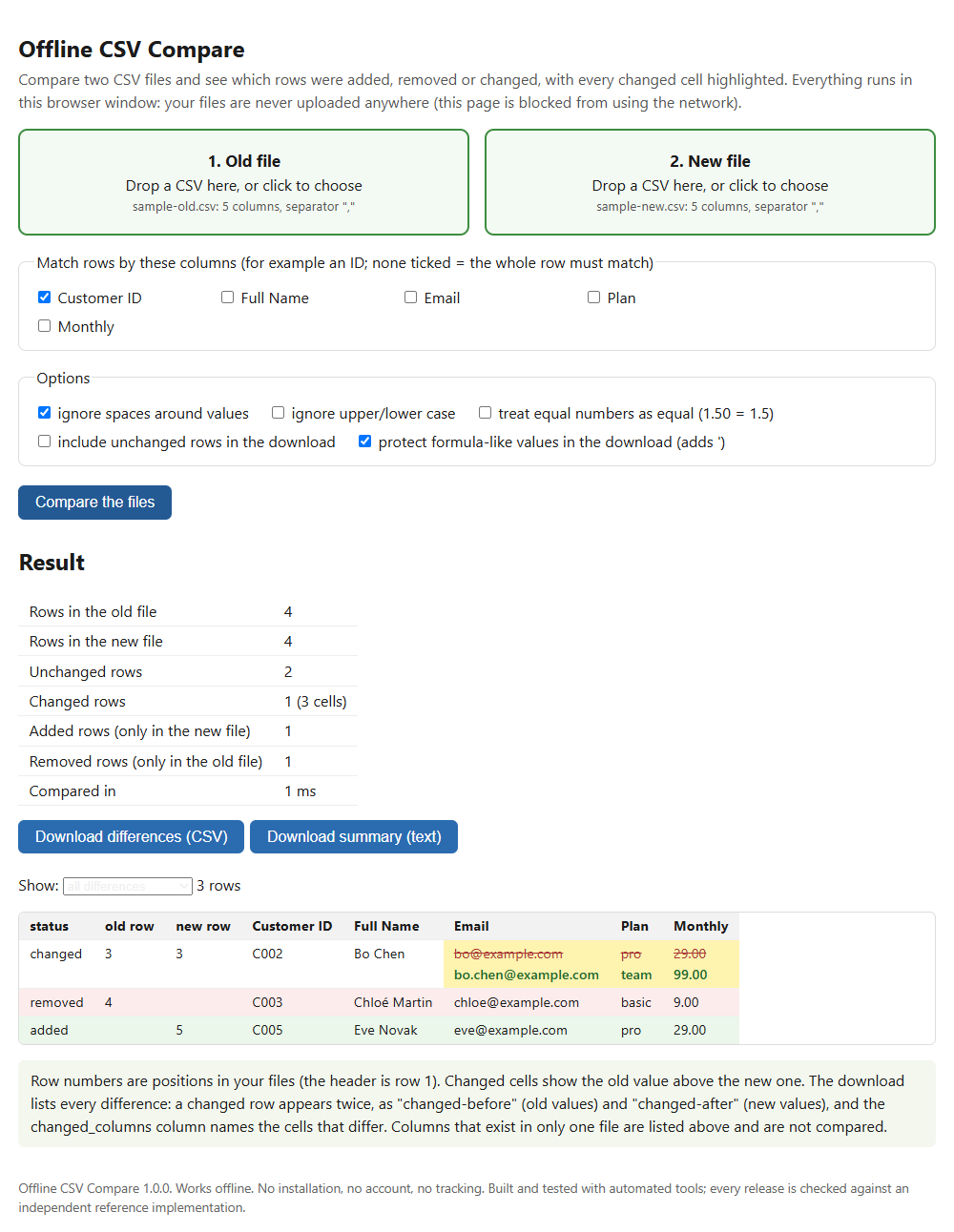
Drop in the old and the new version of a CSV file, choose the column that identifies a row, and see every added, removed and changed row, with the changed cells highlighted. No upload, no account, no install.
What it does
Private by design
One HTML file that runs in your browser and is technically blocked from using the network. In testing, the page made 0 network requests, and a deliberate attempt to reach the internet from inside the page was blocked.
Added, removed and changed
Match rows by one or more columns (for example Customer ID), or by the whole row. A changed row shows the old and new value of every cell that differs.
Two downloads
A differences CSV with every added, removed and changed row (before and after) and the names of the changed columns, plus a plain-text summary with counts per column.
Nothing hidden
Columns that exist in only one file are named. Rows that cannot be compared (wrong number of columns, empty match column) are listed with their row numbers, not dropped. Repeated match values trigger a warning.
Details
- Your rules for "the same": ignore stray spaces, ignore upper/lower case, and treat equal numbers as equal (1.50 = 1.5) when you want to.
- Formula protection: in the download, values that start with =, +, - or @ get a leading apostrophe. Tested in LibreOffice Calc 26.8 with formula evaluation on; not yet tested in Microsoft Excel.
- Reads comma, semicolon, tab and pipe separated files, with or without a byte-order mark, including quoted line breaks inside cells.
- Tested in Chrome 156, Firefox 157 and WebKit 27.2 (the engine behind Safari; Safari itself not tested), with identical results. In our tests, comparing two 100,000-row files took 0.3 to 0.9 seconds.
- It does not open .xlsx workbooks (save as CSV first), it does not guess that two different spellings are the same thing, and it does not merge the files.
- How it was made: the comparison engine was built with AI-assisted tools and is tested automatically against an independent reference implementation on hundreds of tricky file pairs.
- One-time price. Personal licence: one person, any number of their own devices. Organisation licence: up to three named people. 14-day refund for any reason.
Want to do it with code first? See how to compare two CSV files with a script.
Get it: USD 15, one-time Try the free demo first
The demo is the same engine. It shows full results and lets you download them for files up to 200 rows each; for larger files it shows the real counts but switches the downloads off.